You can now connect Beentry directly to your AI chat, Claude or ChatGPT, and ask in natural language about your hives, inspections, harvests, and finances. The artificial intelligence accesses data directly from your records and can also log a new inspection or task upon request. In Claude, this even works for free, and with ChatGPT you can talk to Beentry by voice, right at the hives and hands-free.
What does “controlling Beentry from an AI chat” mean?
Instead of searching in the app, you simply ask your assistant. You type “How many hives do I have and when was the last inspection at Horská paseka?” and Claude or ChatGPT reaches directly into your Beentry records and answers. This works thanks to the new MCP (Model Context Protocol) technology, an open standard through which AI securely communicates with your data. You connect Beentry once as a “connector” and from then on just write regular queries.
It’s not a chatbot making things up, the assistant works with your actual records: the same hives, inspections, and numbers you have in the app.
What can you ask the AI?
The assistant can read practically your entire beekeeping records. Here are a few examples you can try right away:
- “How many hives do I have in total and how many are at each location?”
- “Show me the last three inspections of hive number 4.”
- “When did I last treat for varroa and with what?”
- “How much honey have I harvested this year and from which locations?”
- “What is my income and expense balance this year?”
- “Are there any infections around my apiaries?”
- “How many stings have I received this year?”
Because the assistant sees context, it can also handle smarter questions like “Which hives have I not inspected for a long time?” or “Compare this year’s yield with last year's.”
Can the AI also log and edit records?
Yes. Beentry via AI chat offers dozens of tools, not only for reading but also for creating, editing, and deleting records. For instance, you can dictate: “Log inspection of hive 4, queen laid eggs, I added a super” or “Create a task to feed at Horská paseka by Sunday.” The assistant can also correct previous records, rename a hive, mark a queen as dead, or archive a hive.
How to connect Beentry to Claude?
Anyone can do it in Claude, and it works on a free account as well (one connector free). Steps:
- Open claude.ai and find the Connectors section in settings.
- Click on Add custom connector.
- Enter
Beentryas the name andhttps://mcp.beentry.comas the URL. - Confirm and click Connect. A Beentry login page will open, log in with your account, just as you do in the app.
- Approve access (Allow access) and you’re done. Now you can start asking in chat.
How to connect Beentry to ChatGPT?
The easiest way is to find Beentry directly in the ChatGPT app store, it works on free accounts too:
- In ChatGPT open the apps/plugins store.
- Search for Beentry and click Connect.
- Log in with your Beentry account and approve access. That’s it, you can start asking away.
Alternatively, you can add Beentry manually as a custom connector (this requires a paid Plus/Pro plan): in settings, open Connectors, enable Developer Mode, choose Create and enter the URL https://mcp.beentry.com. Tip: in ChatGPT choose a faster model (Instant); the deep thinking mode does not reliably work with connectors.
The best part: control Beentry by voice right at the hives
And now for the really great part. ChatGPT supports fluid voice conversation and combined with Beentry this changes the game at the apiary. You have your hands full of frames, wearing gloves and a beekeeping suit, and instead of tapping on your phone, you simply talk. You say “log an inspection of hive 4: queen laid eggs, I added a super” and ChatGPT saves it immediately via Beentry. You ask “when did I last treat for varroa here?” and the assistant answers out loud from your records.
It feels surprisingly natural, as if you were chatting with a colleague by the hives who remembers everything and logs everything. No more struggling with tiny buttons in gloves. Try it during an inspection and you won’t want to go back to typing.
Is it safe? And do I actually log in twice?
It’s a single Beentry account, you log in with the same email and password as in the app. When connecting the connector, you log in once and confirm the assistant may work with your data. The second “login” is not a new account, but permission for the AI, and it’s a security advantage:
- Claude or ChatGPT never see your password, they get only limited permission.
- You can revoke access anytime with one click without changing your password.
- The assistant sees only your data, no one else can access it through the connector.
What do you need?
Just a Beentry account (which you already have as a beekeeper) and one of:
- Claude, works on a free account too (one connector free). The easiest option for everyone.
- ChatGPT, via the app store works on free accounts; manual addition of a custom connector requires Plus/Pro plan.
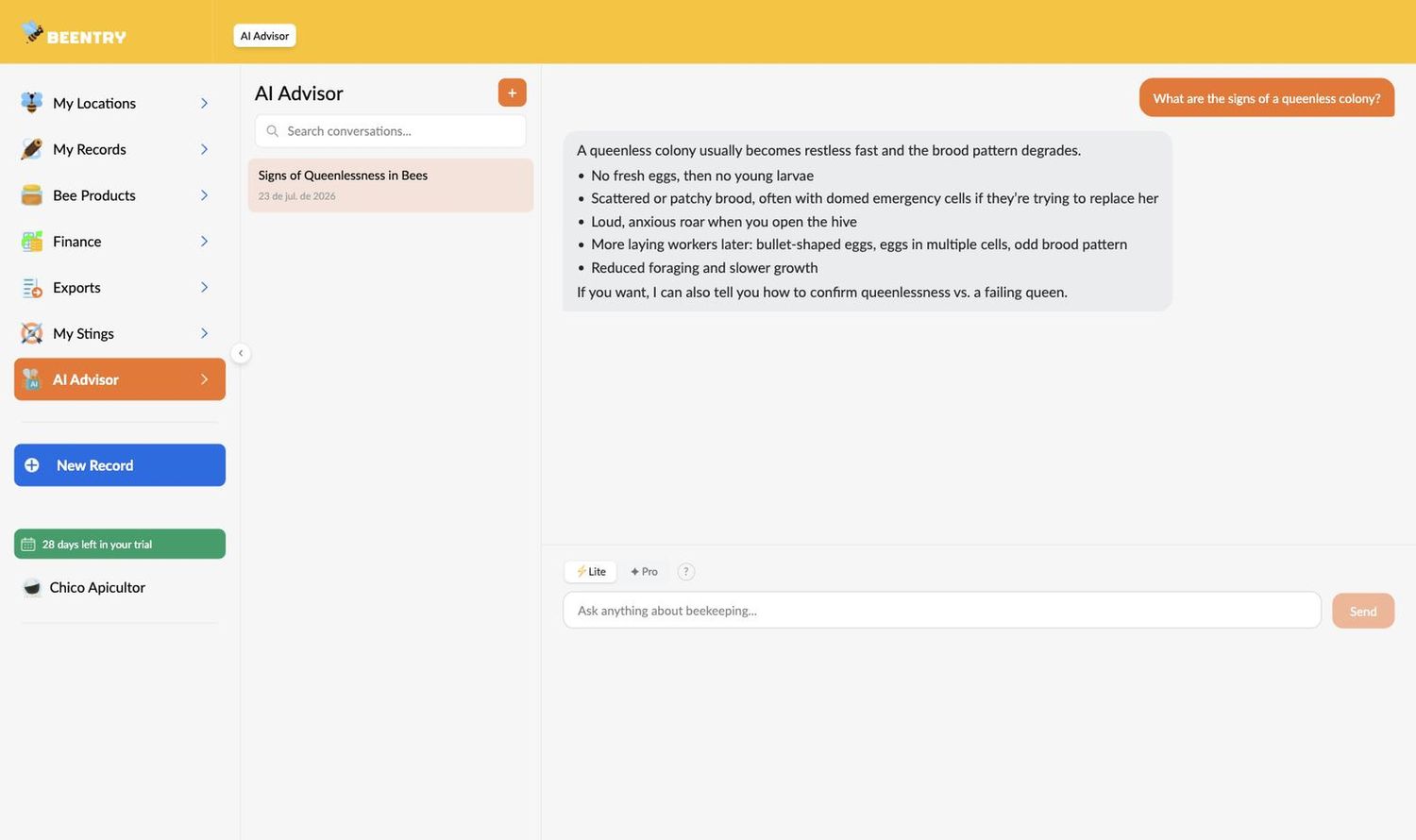
If you don’t use AI chat from Claude or ChatGPT, no problem, in the Beentry app you also have a built-in AI advisor who knows your data and advises without any connection.
Try it out
Connecting takes a minute and opens a completely new way to work with your records, instead of clicking you just ask. Try a simple “How many hives do I have?” first and you’ll see the assistant answers from your real data. Learn more about the app on the about Beentry page.